Studio
More control over your model
For tabletop, cosplay and makers: choose the model or let Automatic choose, make variants, compare versions, measure in millimetres and look at a cross-section. Same credits and storage as the AI designer.
…


Studio
For tabletop, cosplay and makers: choose the model or let Automatic choose, make variants, compare versions, measure in millimetres and look at a cross-section. Same credits and storage as the AI designer.
…
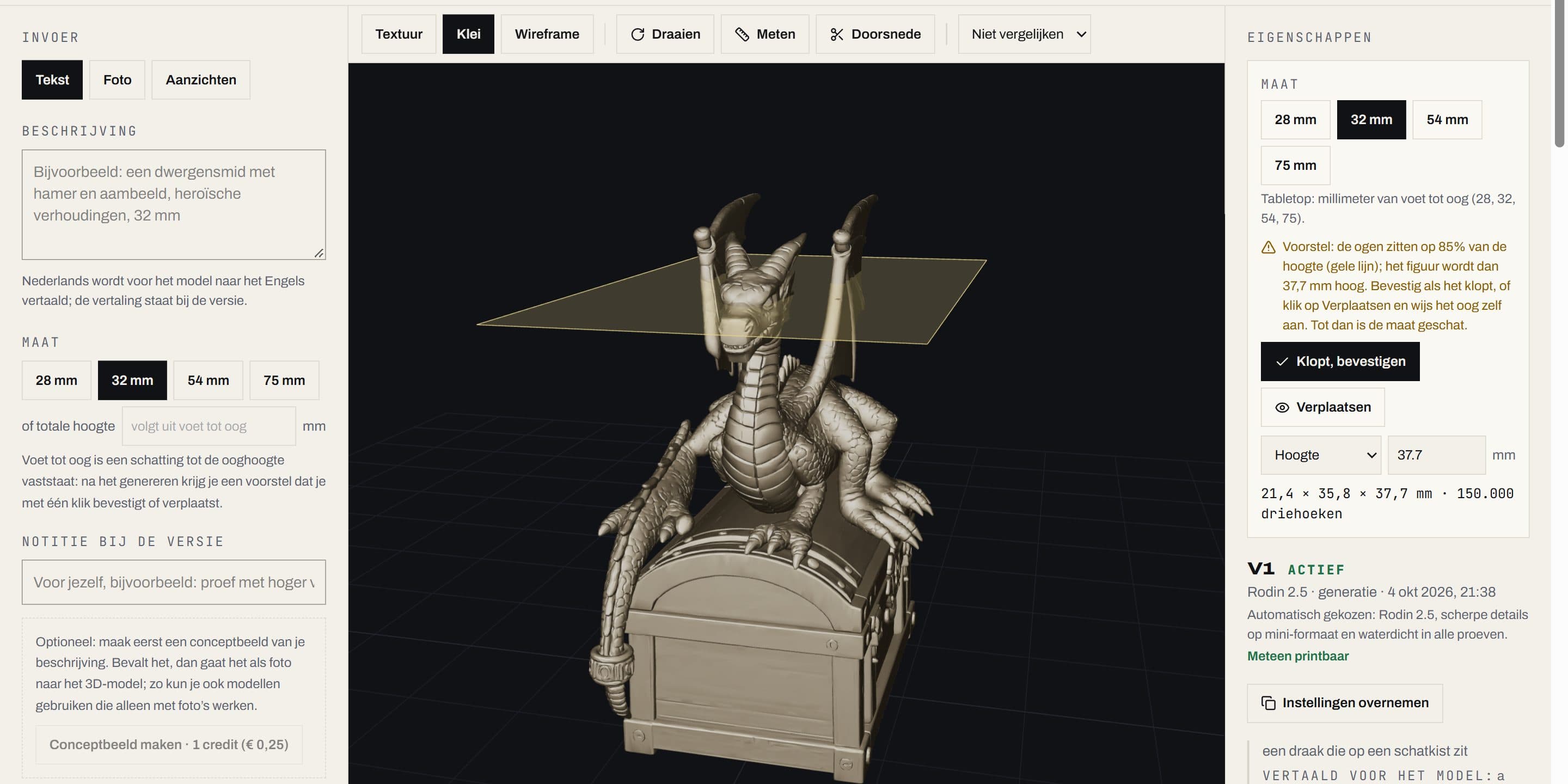 Screenshot
Pick the model
Choose the AI model and quality yourself, or let Automatic pick what fits best.
Make variants
Make several variants from the same description or photo and keep the best one.
Compare versions
Every edit becomes a new version; put two side by side.
Measure in millimetres
Measure the model, pick a tabletop scale (28 to 75 mm) or your own height.
Cross-section and checks
Look through the model and check for free whether it prints in resin.
Print or download
Have your version printed, or download the file for credits if you want to print it yourself.
The studio uses your credits and keeps your projects with your account.
The studio is the workspace behind the AI designer, for when you want more control. You pick the model yourself or let Automatic choose, make variants of the same object and compare them side by side. You measure in millimetres, look at a cross-section and keep every version in your projects.
Rather not choose? The AI designer picks the model for you.
You pay with the same credits as in the AI designer. A model costs 1 to 6 credits, depending on the model and the options; you see the price before you start. A concept image from a description costs 1 credit.
You can buy credits from €5.00 for 20 credits.
After verifying your email you get 4 credits to try it out.